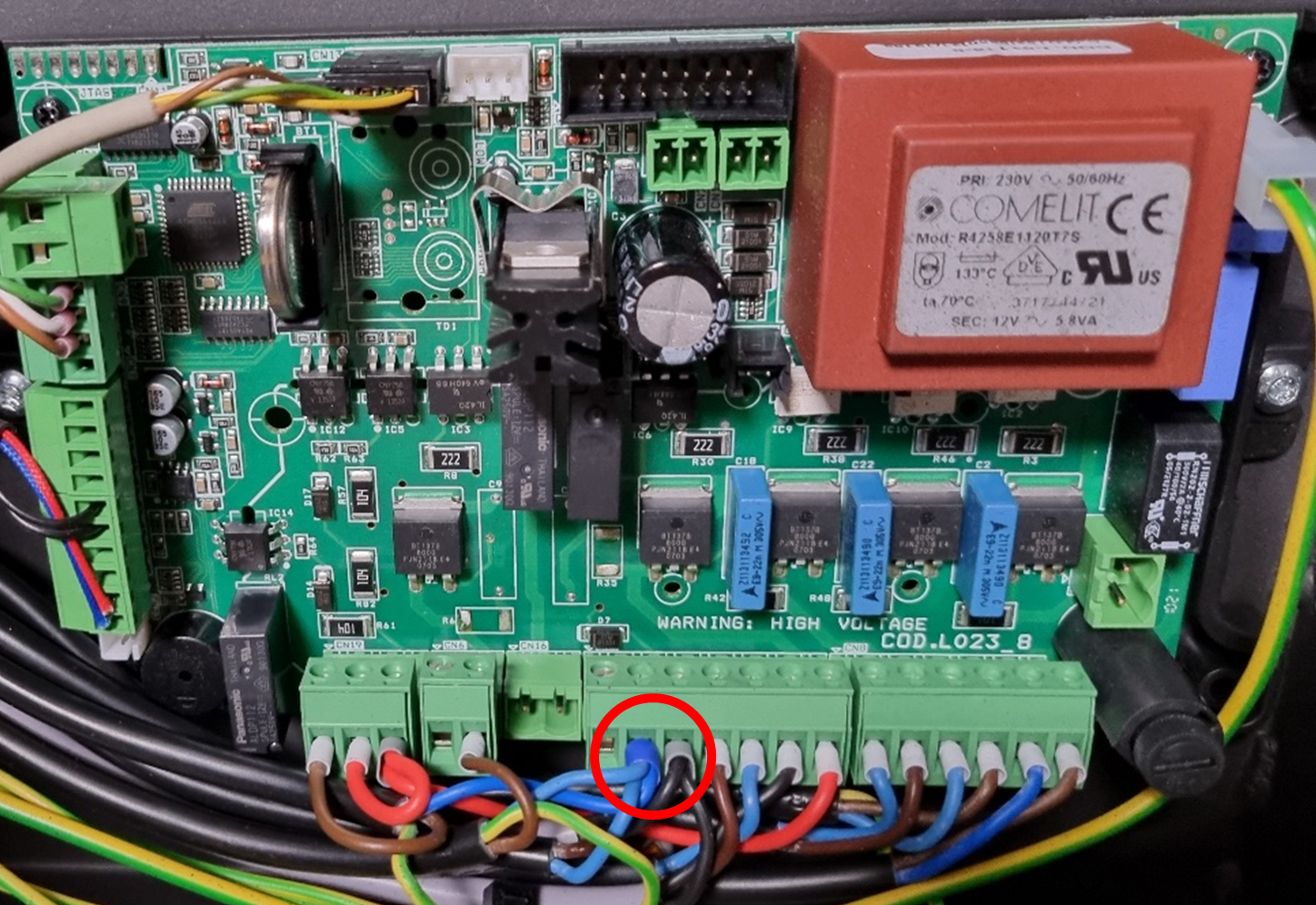
Difficulty level: Easy
Time consumption: 15 minutes
Tools: TORX 20 screwdriver
Components: Pressure switch (aduroshop.com)
NB: All changes and adjustments must be conducted when the stove is cold and disconnected from the power supply.
- To access the pressure switch, remove the stove’s backplate by removing the 4 screws:
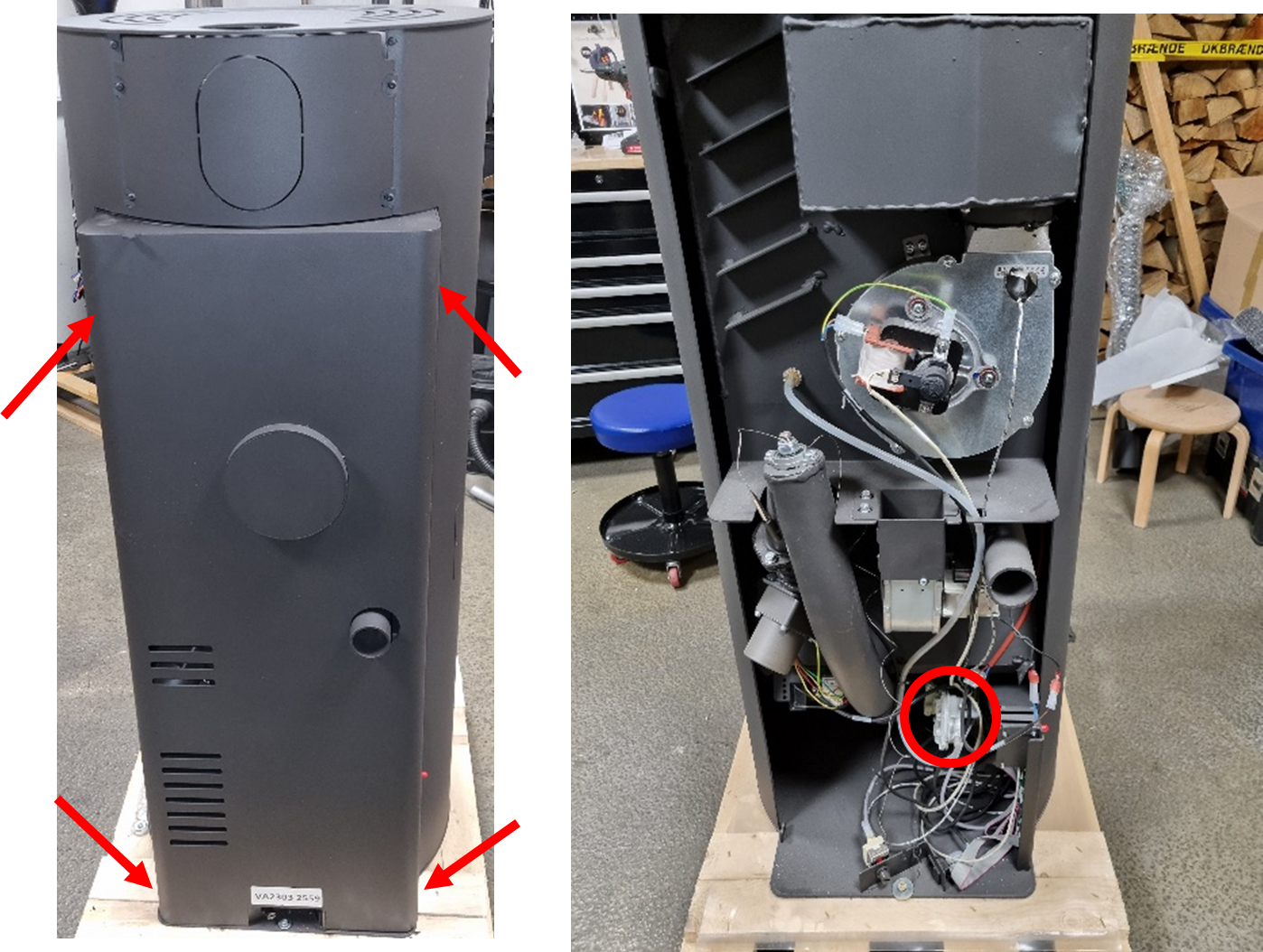
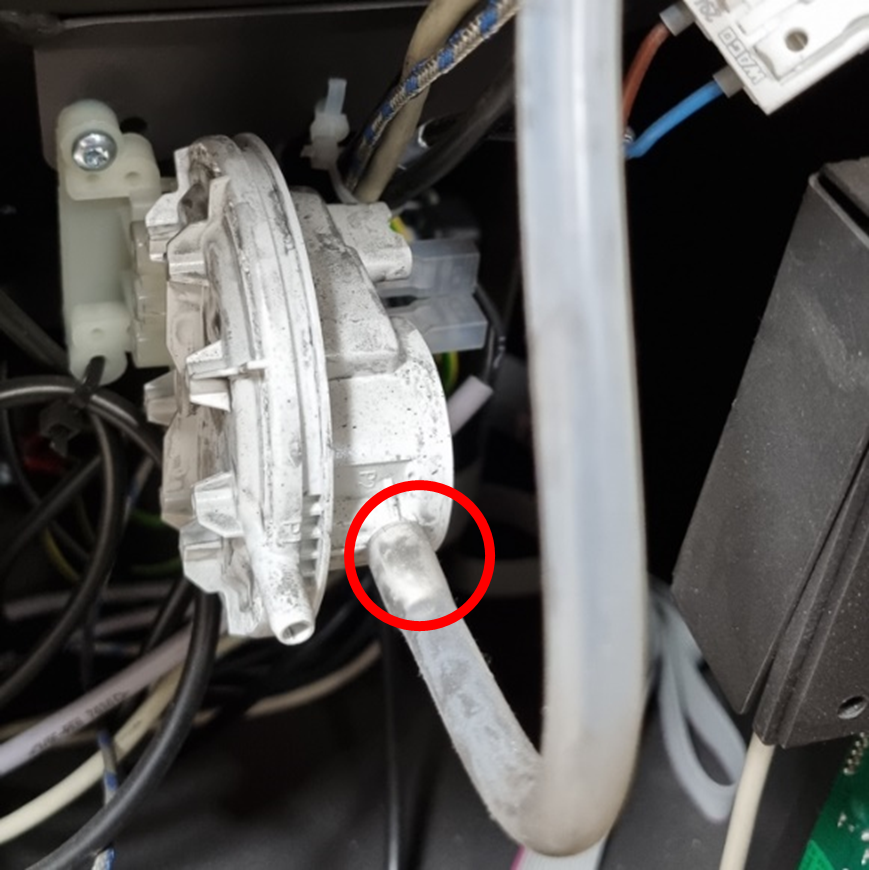
- Remove the rubber tube from the pressure switch:
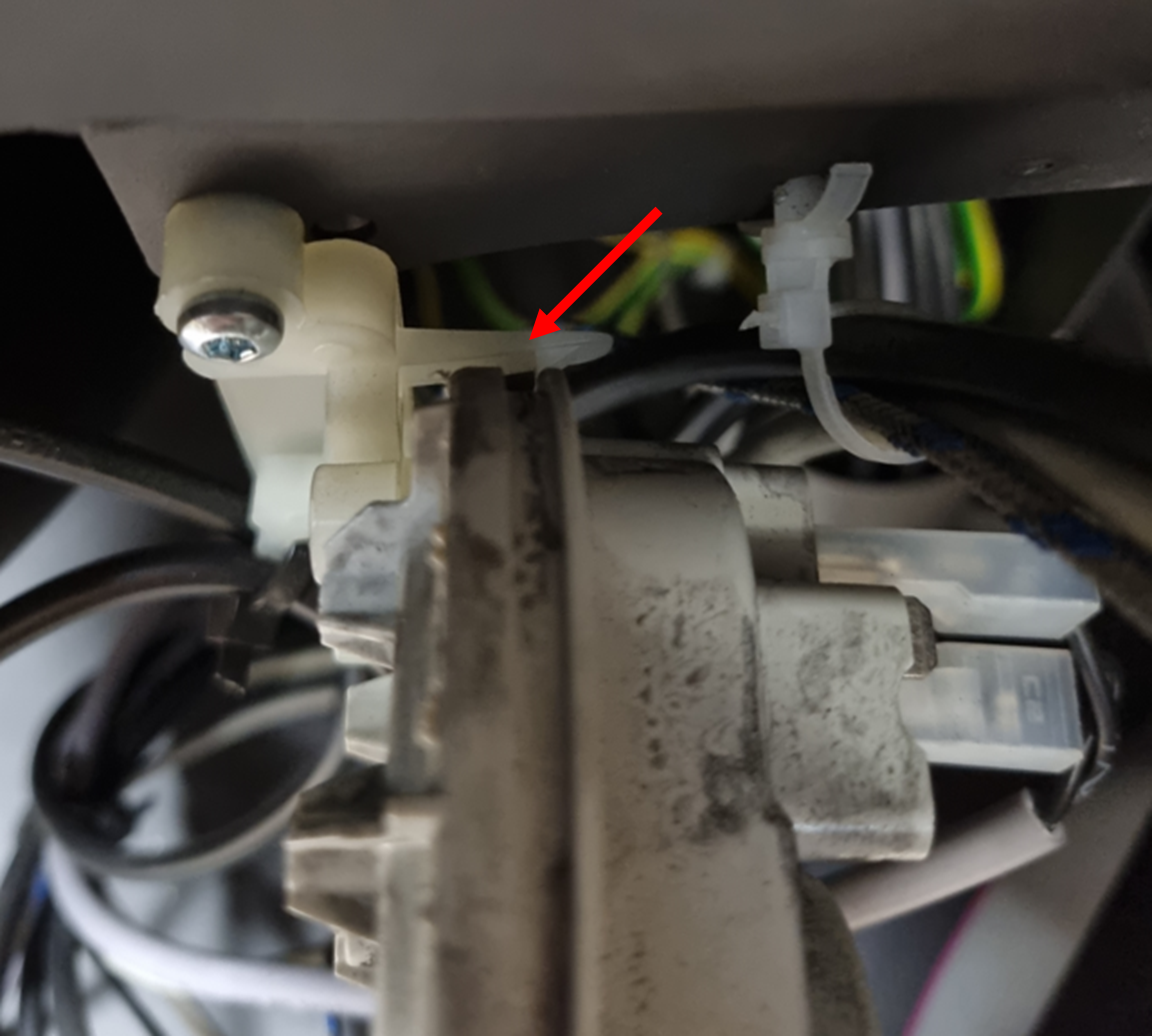
- Remove the pressure switch from the plastic clip that holds it in place by pressing the two plastic hooks:
- Remove the cable connectors from the pressure switch pins:
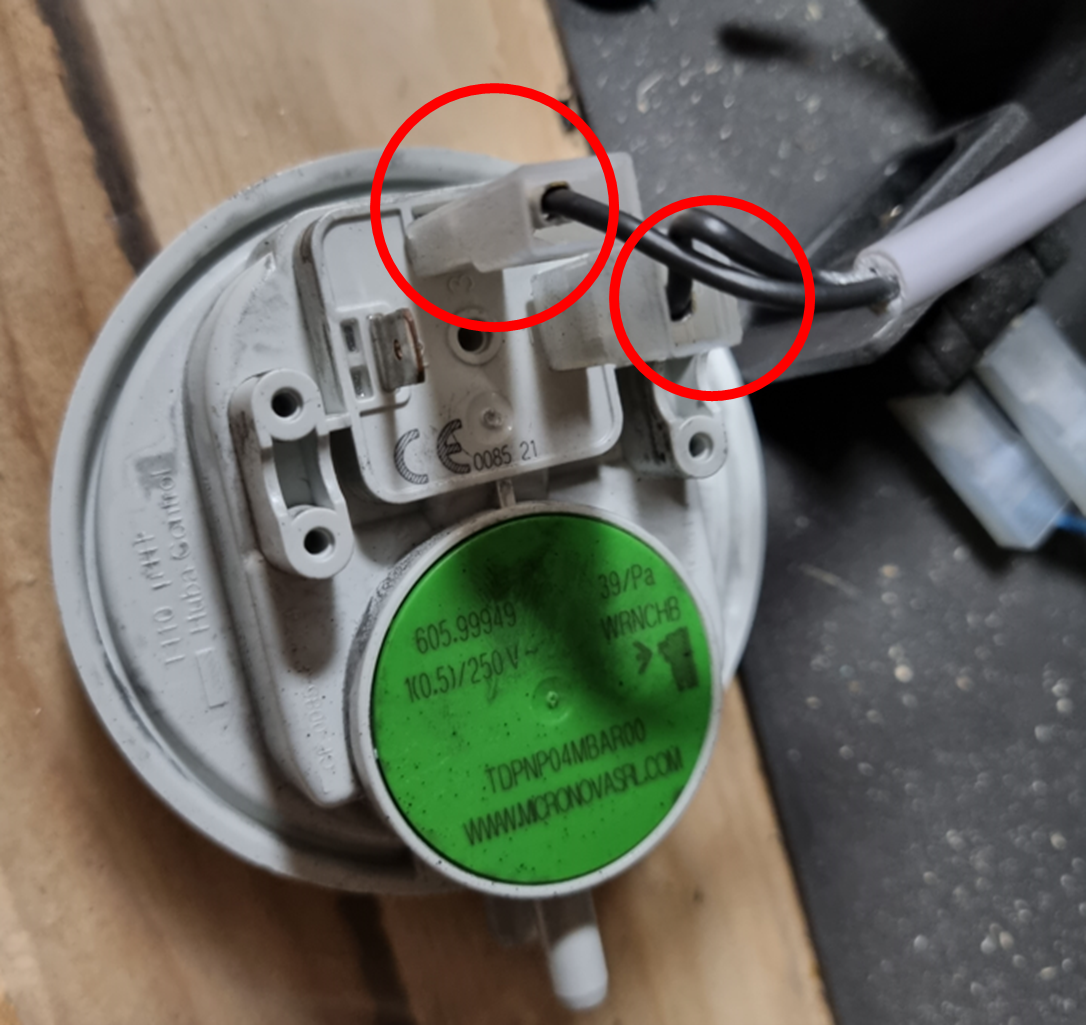
- Reattach the cable connectors to the new pressure switch and push it back into the plastic holder, then attach the tube.
- Check that the pressure switch is functioning correctly by igniting the stove to make sure no alarms show.
- Remount the backplate with the four screws.
Troubleshooting
If the pressure alarm "AL8" is still showing after changing the pressure switch, follow these steps:
- Check that the other end of the rubber tube is connected to the pressure outlet on the stove, and that the tube does not have any leaks:
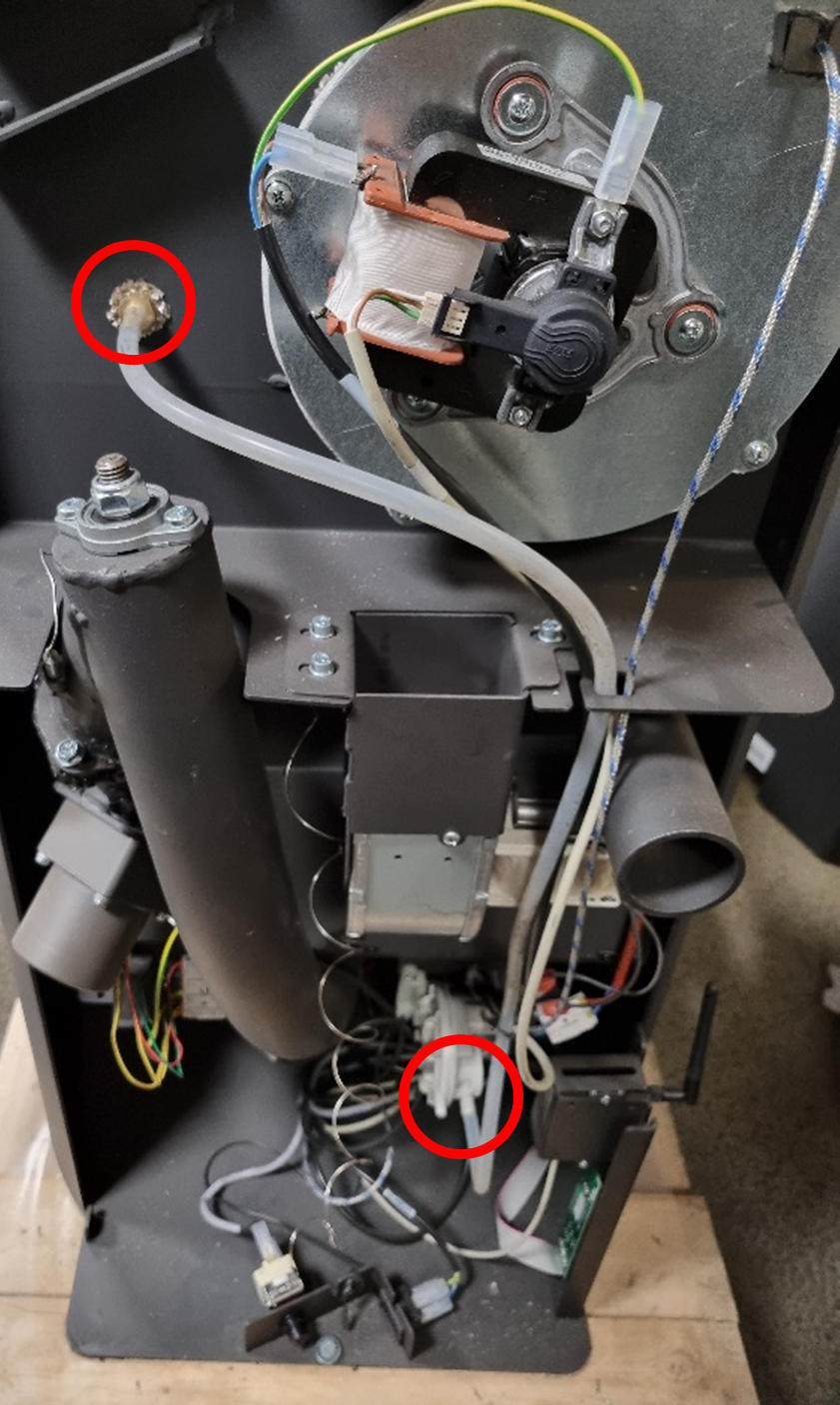
- Check that the power switches are connected to the right inputs on the pressure switch. Also make sure that they are connected to the control board: